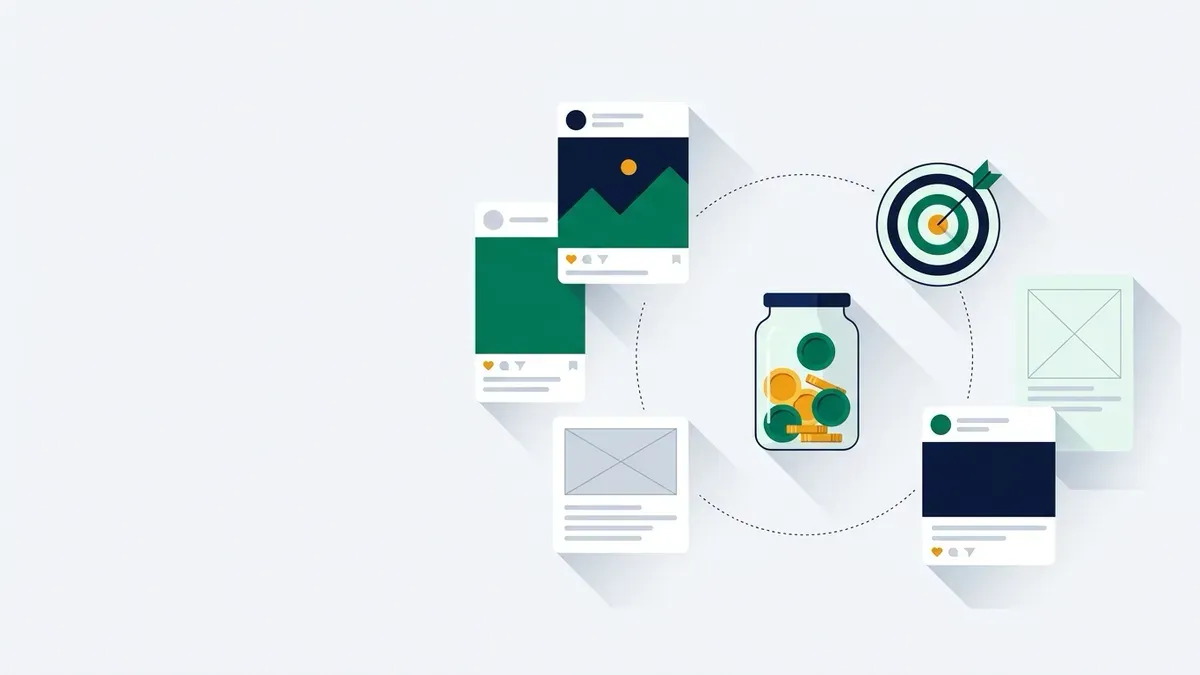
You do not need a paid ad budget or thousands of followers to make Instagram generate sales for a new online store. Organic social media works when you treat your profile like an interactive digital storefront: vertical video brings in new shoppers who have never heard of you, Carousels and Stories show how your items work, and direct messages handle buyer questions before checkout.
This guide walks through what to post each week, how to qualify for product tagging, how to stay on the right side of federal disclosure rules, and how to measure whether your time turns into orders.
Worked example: organic routine vs a $10 a day Meta ad test
To see how organic social media and paid advertising compare for a first-time store owner, look at two hypothetical setups for the same shop over a 30-day month.
Both examples use a maker selling a $40 handcrafted product. Each unit costs $12 to make and $6 to pack and ship. Card payment processing on a standard store plan is 2.9% + 30¢, which equals $1.46 per order (2.9% of $40 is $1.16, plus $0.30). That leaves a pre-ad profit of $20.54 per unit ($40 price − $12 product cost − $6 shipping − $1.46 card fee).
Month 1: Organic routine ($0 ad spend)
In month 1, the founder spends $0 on ads and follows a lean weekly routine: 1 to 2 Reels, 1 multi-slide Carousel, daily Stories with a link sticker, and 15 minutes a day answering comments and DMs.
- Organic traffic: 500 profile visits and link sticker taps over the month.
- Conversion rate: 2% of visitors buy (10 orders; 500 × 0.02 = 10).
- Gross revenue: 10 orders × $40 = $400.00.
- Product and shipping costs: 10 × ($12 + $6) = $180.00.
- Card payment fees: 10 × $1.46 = $14.60.
- Ad spend: $0.00.
- Net profit: $400.00 − $180.00 − $14.60 − $0.00 = $205.40.
Every dollar of margin stays with the business because customer acquisition cost was zero ad dollars.
Month 2: Adding a $10 a day Meta ad test ($300 ad spend)
In month 2, the founder tests paid ads while continuing the organic routine. They set a daily budget of $10 over 30 days ($300 total; $10 × 30 = $300) targeting shoppers on Meta using the Sales objective. The store gets the same 10 organic orders plus new orders generated from ads.
Suppose the ad campaign achieves a cost per click (CPC) of $0.60, delivering 500 ad clicks for the $300 spend ($300 ÷ $0.60 = 500 clicks). If 3% of those ad visitors purchase, the campaign generates 15 paid orders (500 clicks × 0.03 = 15 orders).
| Metric | Month 1: Organic only | Month 2: Organic + $10/day ad test |
|---|---|---|
| Ad spend | $0.00 | $300.00 |
| Total orders | 10 (organic) | 25 (10 organic + 15 paid) |
| Gross sales | $400.00 | $1,000.00 (25 × $40) |
| Product & shipping | $180.00 | $450.00 (25 × $18) |
| Card fees (2.9% + 30¢) | $14.60 | $36.50 (25 × $1.46) |
| Ad spend | $0.00 | $300.00 |
| Net profit | $205.40 | $213.50 ($1,000 − $450 − $36.50 − $300) |
The 15 paid orders generated $308.10 in pre-ad margin (15 × $20.54), costing $300.00 in ads. That yields a customer acquisition cost (CAC) of $20.00 per paid customer ($300.00 ÷ 15), leaving a net profit gain of $8.10 on the paid volume ($308.10 − $300.00 = $8.10).
The stop/continue rule for paid tests
- Continue or scale: When your ad cost per purchase is lower than your pre-ad order profit ($20.54 in this example). If your ad cost per purchase drops to $12.00, each paid sale adds $8.54 in profit ($20.54 − $12.00 = $8.54).
- Pause or stop: When your cost per purchase climbs above $20.54. At $25.00 per purchase, every ad sale loses you $4.46 ($25.00 − $20.54 = $4.46).
Run it with your own numbers: retail price − product cost − shipping cost − card processing fee = maximum break-even customer acquisition cost. If an ad campaign cannot acquire an order under that ceiling, rely strictly on organic channels and email until your conversion rate or margins improve. You can test your per-unit figures with the profit per order calculator.
Setting up a professional account
To access marketing features, business messaging, and audience analytics, switch your store’s profile from a personal account to a free professional account.
Instagram provides two professional account types:
- Business accounts: Built for retailers, brands, and service providers. This account type supports contact buttons (email, telephone, physical address), Meta Commerce Manager integration, catalog product tagging, and structured customer service tools.
- Creator accounts: Built for individual influencers and content creators. Store owners should select Business to connect an inventory catalog.
To switch in the mobile app:
- Open Instagram, go to your profile, and tap the menu icon (three lines) in the top-right corner.
- Select Settings and privacy.
- Under tools, tap Account type and tools, then choose Switch to professional account.
- Select a business category, choose Business, and confirm your customer support email and phone number.
Instagram Shopping and product tagging rules
Product tagging allows you to tag items from your catalog directly in feed posts, Reels, and Stories. Viewers can tap a tagged product to see its price and description, and click through to your store checkout.
Connecting your catalog requires meeting Meta’s Commerce Eligibility Requirements:
- Physical goods only: You must sell eligible physical items available for direct purchase. Digital downloads and services do not qualify.
- Owned domain: Products must be sold from a single, owned, non-shortened domain. Meta may require domain verification.
- Policy compliance: Your store and connected Facebook Page must comply with Meta’s Commerce Policies, Merchant Agreement, Community Standards, and Ads Policies.
- Supported market: Your business must operate in an approved country for Meta commerce surfaces.
- Accurate pricing and clear policies: Your website must display accurate product details and an easily accessible refund and return policy.
- Authentic presence: Your account must maintain an authentic presence with verifiable identity information.
Platforms like Shopify connect to Meta Commerce Manager to sync inventory automatically. Check Shopify pricing explained before connecting your sales channels.
Core content formats: Reels, Carousels, and Stories
Different formats on Instagram serve different jobs in your sales funnel:
- Instagram Reels (discovery): Fullscreen vertical videos in a 9:16 aspect ratio, distributed across the Reels tab and Explore feed to non-followers. Show what the product does early in the clip. Original audio or a voiceover keeps you clear of music licensing questions. Center important visuals so interface buttons do not cover them.
- Carousel posts (consideration): Multi-slide swipeable posts for feed sharing. Ideal for showcasing multi-angle photography, ingredient lists, sizing charts, and tutorials.
- Instagram Stories (conversion): Vertical posts that disappear after 24 hours, shown mostly to current followers. Add the interactive Link Sticker to link directly to product pages or your email signup form. Save essential Stories to permanent Highlights on your profile.
10 post ideas for a product store
When deciding what to post, choose from these ten repeatable concepts:
- The packing video (Reel): Film an overhead 9:16 video of packing an order, adding wrapping and a thank-you note.
- Product demonstration (Reel): Show your item solving an everyday problem in 10 to 15 seconds.
- Material breakdown (Carousel): Share close-up photos showing stitching, textures, and construction quality.
- Size and scale comparison (Carousel): Place your product next to a phone or mug to show true dimensions.
- Customer review spotlight (Carousel or Story): Show a screenshot of a buyer review alongside a photo of the item.
- Behind-the-scenes studio tour (Reel): Show your workbench, packing station, or inventory shelves.
- Answers to top DM questions (Carousel): Turn common sizing or care questions into a multi-slide visual guide.
- Restock announcement (Story with Link Sticker): Alert followers when popular items return, linking directly to checkout.
- How it is made (Reel): Record a time-lapse showing your production process from materials to completion.
- Founder introduction (Carousel): Share a photo of yourself, your store mission, and what items you plan to make next.
Managing direct messages and customer service
Shoppers use Instagram Direct Messages (DMs) like a customer service desk before buying. Professional accounts include tools to handle questions efficiently:
- Quick replies: Save answers for shipping times, return policies, or material specs as keyboard shortcuts to insert full replies instantly.
- Automated FAQs: Set up automated question prompts (such as shipping rates or return steps) that answer incoming inquiries instantly.
- Inbox management: Use Primary and General tabs to prioritize urgent customer order questions.
Creator gifting and FTC disclosure rules
Sending free products to micro-creators is a proven way to generate authentic product media, but federal endorsement rules apply:
- Disclose material connections: Any free product, discount, or financial compensation must be disclosed clearly and conspicuously under FTC rules.
- Prominent placement: Disclosures must be hard to miss, appearing directly with the endorsement rather than buried under a more button or in a hashtag block.
- Plain language: Avoid vague shorthand like spon, collab, or ambassador. The FTC directs creators to use clear language like #ad or Thanks to brand for the free product.
- Format rules: On image Stories, superimpose disclosures with enough time to read. In videos, disclosures must be in both audio and visual formats.
- Built-in tools: The FTC advises against relying only on platform tags; use clear caption or on-screen disclosures in addition to platform tools.
- Honesty standards: Creators cannot discuss products they have not tried or make claims requiring proof the advertiser lacks.
- Meta Paid Partnership label: Tagging commercial partners displays the Paid partnership label at the top of the post. Turn on Require Approvals in business settings to prevent unauthorized tags.
Review legal pages and policies for an online store for required store policies.
Turning followers into owned email subscribers
Social followers remain rented on Meta. If algorithms shift or account access changes, your audience connection drops. Convert followers to owned subscribers:
- Bio links: Place your primary store link or email signup landing page in your bio. Instagram supports multiple external bio links.
- Offer a signup incentive: Provide a first-order discount code, printable care guide, or restock alerts to encourage signups.
- Use Stories with link stickers: Regularly share Stories highlighting new items with a Link Sticker pointing to your signup page.
- Automated welcome flows: Deliver the signup incentive immediately with an automated email. Learn setup steps in abandoned cart and welcome emails setup and email marketing basics for an online store.
To choose an email tool, read Mailchimp pricing explained and Klaviyo pricing explained, or our Klaviyo vs Omnisend vs Mailchimp comparison.
Measuring performance in Instagram Insights
Check Instagram Insights weekly via the Professional Dashboard to track three key metrics:
- Accounts Reached: Unique accounts that saw your content, showing whether 9:16 Reels are reaching new viewers.
- Accounts Engaged: Unique accounts that interacted (likes, comments, saves, shares). High saves and shares on Carousels indicate strong purchase consideration.
- Profile Activity: Profile visits and external link taps. Link taps show exactly how many people left Instagram for your online store.
If link taps rise but sales do not, review your imagery and product pricing with our product photos on a budget guide.
A 30-day posting plan for a solo founder
A sustainable plan requires 3 to 4 hours per week:
- Week 1 (Setup & Demos): Switch to a Business account, configure bio links, set up DM FAQs, batch 2 Reels (demo and founder intro), and share 3 Stories with link stickers.
- Week 2 (Deep Dives): Post 1 Carousel on materials/sizing, 1 order packing Reel, and daily Stories. Spend 15 minutes daily on DM replies.
- Week 3 (Social Proof): Post 1 customer review Carousel, 1 craftsmanship time-lapse Reel, and reach out to 3 micro-creators with FTC disclosure guidance.
- Week 4 (Catalog & Review): Review Insights for top-performing posts, verify Meta Commerce Eligibility, connect your catalog for tagging, and batch 2 Reels iterating on winning formats.
Common mistakes when marketing on Instagram
- Treating your feed as a static catalog: Posting only sterile white-background photos with buy now captions fails to engage users. Show items being used or worn.
- Forgetting link stickers in Stories: Without a Link Sticker, viewers must leave the Story and search your bio, creating high drop-off.
- Ignoring DM inquiries: An unanswered question about sizing or shipping is an abandoned cart. Reply quickly to capture high-intent shoppers.
- Using prohibited disclosure shortcuts: Tagging gifted posts with collab or hiding disclosures violates FTC rules.
- Running paid ads before organic conversion works: Validate that your products, pricing, and photography convert organic traffic before spending ad dollars.
What to do this week
- Switch your account: Move to an Instagram Business profile and add support contact information.
- Audit store policies: Add an easy-to-find return policy on your owned domain for Meta catalog approval. See returns and refunds process.
- Set up DM tools: Configure two quick replies and two automated FAQ prompts in Instagram Direct.
- Batch two Reels: Record one 9:16 product demonstration and one order packing video on your phone.
- Add your bio link: Connect your email signup page and share a Story with a Link Sticker.
Sources (checked 2026-10-03)
- Instagram Help Center: Set up a professional account, professional account setup steps and business versus creator account types
- Meta Business Help Center: Commerce Eligibility Requirements, requirements for Instagram Shops and product tagging eligibility
- Meta Business Help Center: Branded Content, definition of branded content and Paid Partnership label rules
- Instagram Help Center: View Instagram Insights, analytics definitions, Accounts Reached, and Profile Activity metrics
- FTC Business Guidance: Disclosures 101 for Social Media Influencers, mandatory endorsement disclosure rules, placement guidelines, and platform tool limitations
- Meta Business Help Center: Getting started on Instagram for Business, overview of Reels, Carousels, Stories, and business messaging tools
- Meta Marketing API: Campaign Budgets, daily and lifetime budget definitions and currency denomination rules
- Meta Marketing API: Ad Campaign Group, ODAX campaign objectives including Sales, Traffic, and Awareness
General information, not legal or tax advice.